What is Auracast?
Auracast™ is a new Bluetooth technology that lets one audio source broadcast sound to many nearby listeners at the same time.
Think of it like Wi-Fi for audio. Instead of pairing your headphones or hearing aids directly with one device, you can find an available audio broadcast and choose to listen.
Where Can Auracast Be Used?
Auracast can make audio easier to hear in places such as:
Churches and meeting rooms
Theaters and auditoriums
Airports and transportation centers
Gyms and fitness centers
Conference rooms
Museums and public attractions
TVs at home or in public spaces
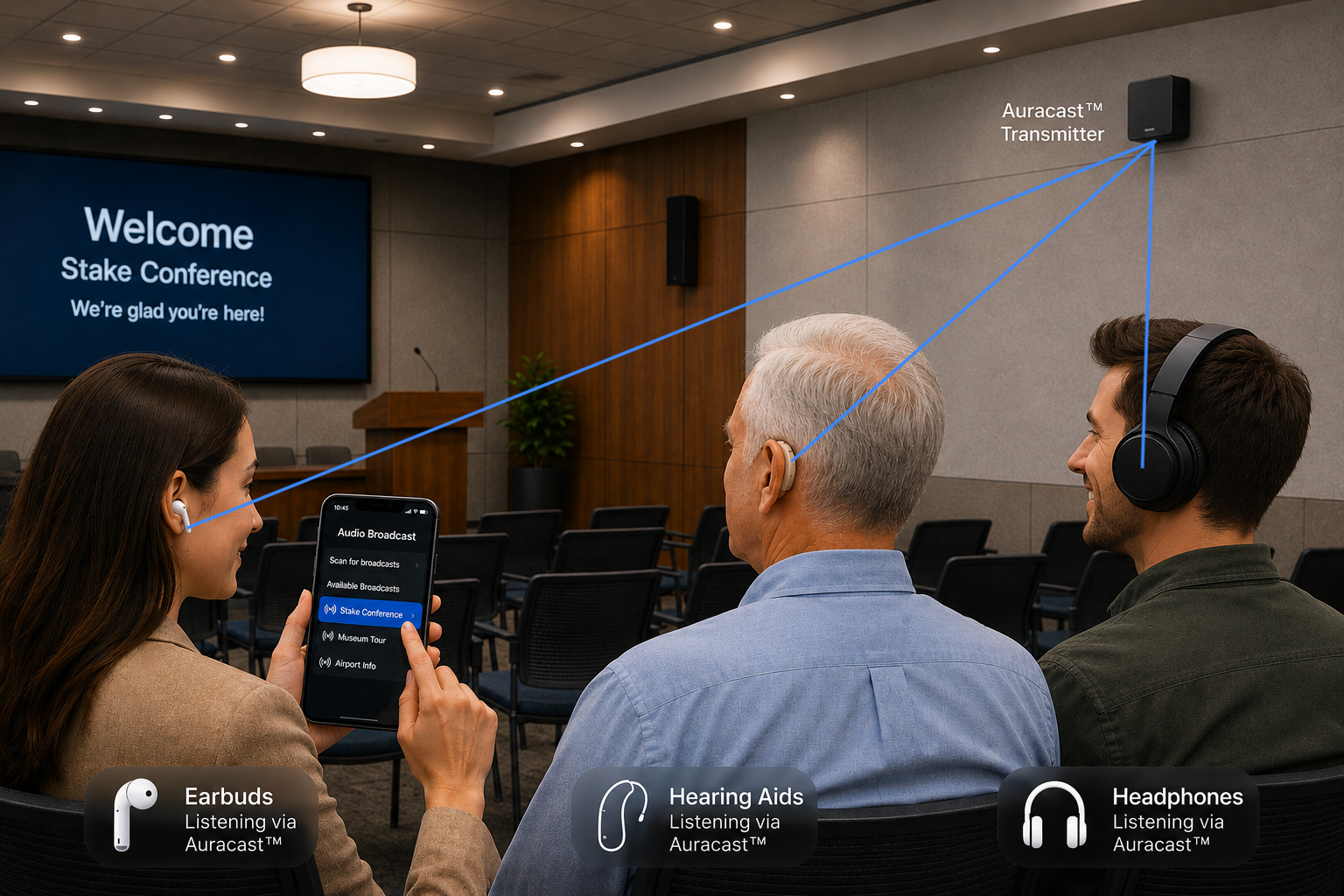
For example, a church can broadcast the sound from its microphones. Anyone with a compatible hearing aid, earbuds, headphones, or receiver can listen directly to that audio.
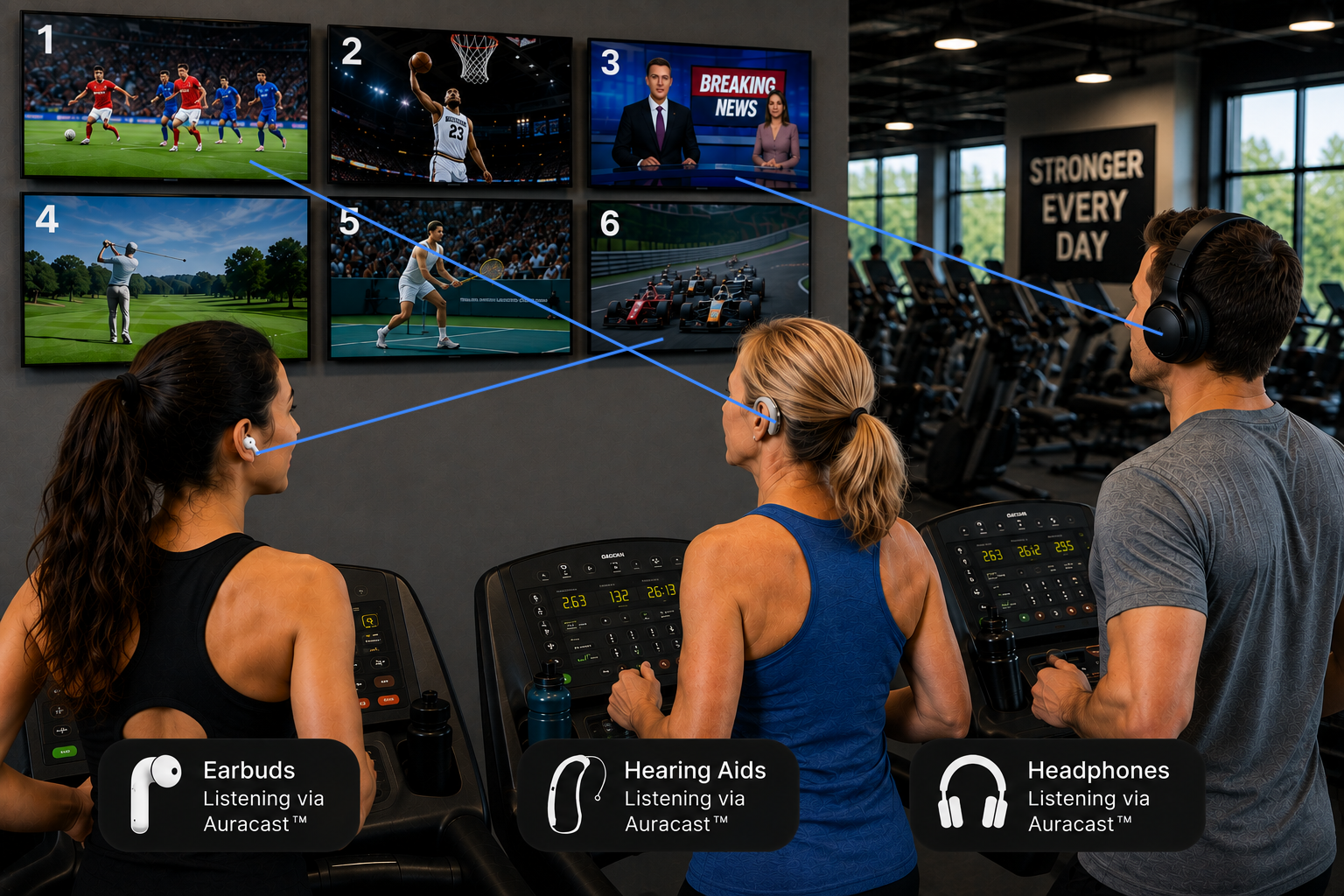
A gym could broadcast audio from several TVs. You simply choose the TV you want to hear.
How Is Auracast Different From Regular Bluetooth?
With traditional Bluetooth, you usually pair one device to another.
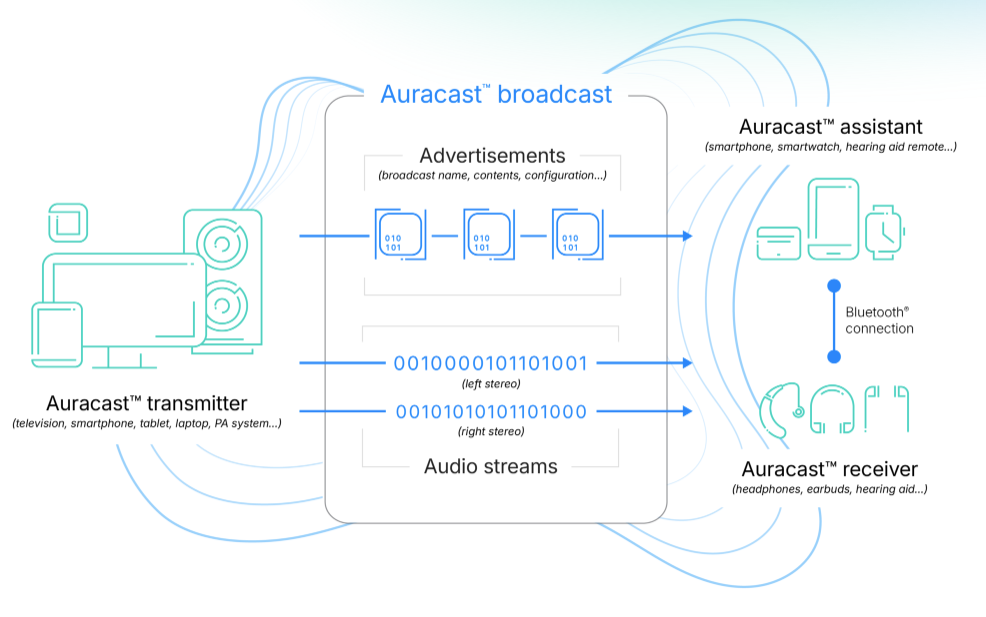
Auracast works differently. A transmitter broadcasts audio, and compatible devices within range can discover that broadcast and listen.
This means:
No traditional Bluetooth pairing
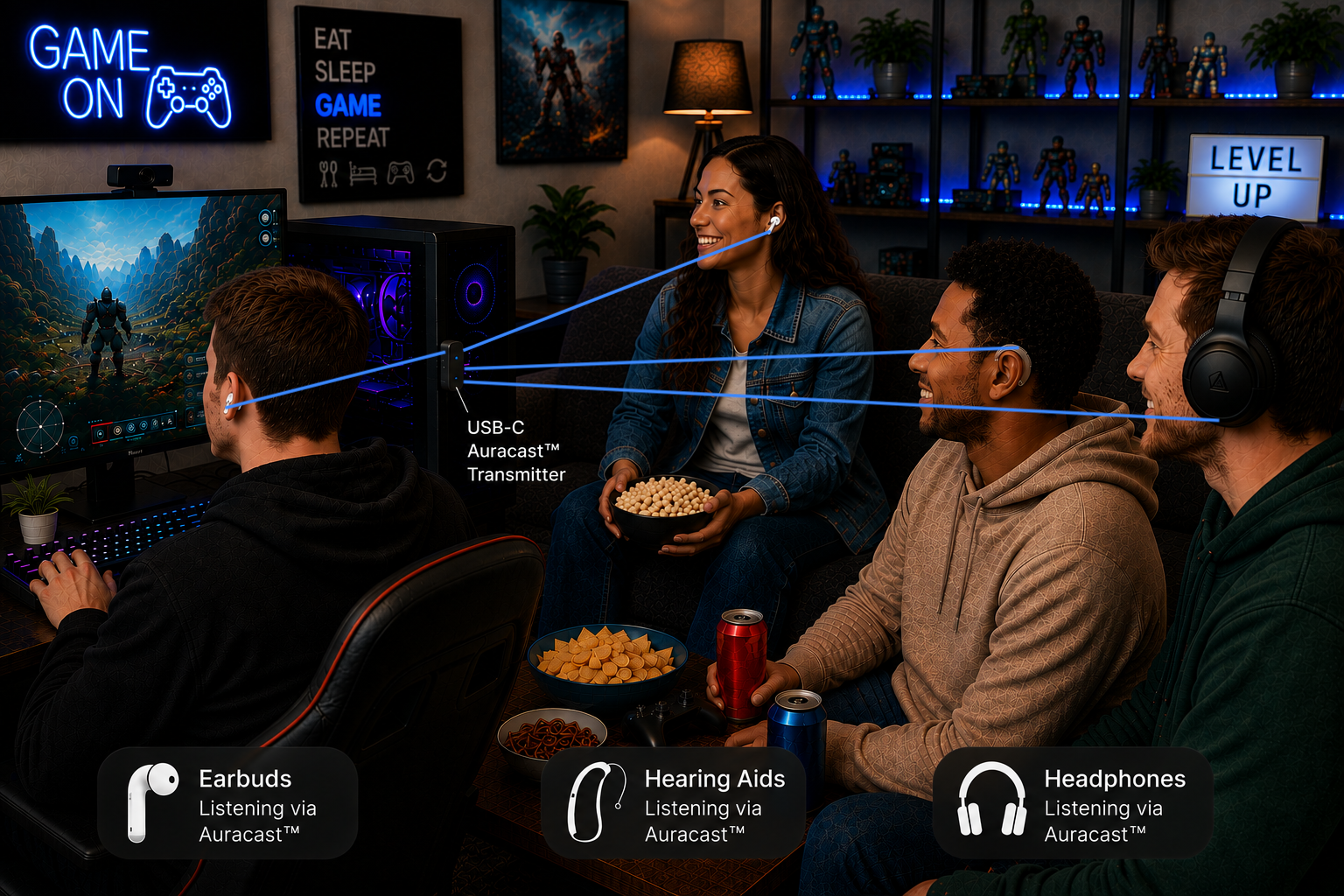
Many people can listen to the same broadcast
Listeners use their own hearing aids, earbuds, or headphones
You choose which available broadcast you want to hear
Public broadcasts can be available to anyone nearby
Private broadcasts can also be protected so that only people with the correct passcode can join.
How Do I Find an Auracast Broadcast?
The exact wording depends on your device.
You may see options such as:
Audio Broadcast
Find a Broadcast
Scan for Broadcasts
Auracast
Select or scan for available broadcasts, choose the one you want, and the audio begins playing through your compatible listening device.
Some locations may also provide a QR code that makes joining a broadcast easier.
What Do I Need?
There are two sides to an Auracast system:
A transmitter sends the audio broadcast.
A compatible listening device receives it.
The receiver might be Auracast-enabled hearing aids, earbuds, headphones, a smartphone acting as an assistant, or a dedicated Auracast receiver.
One important caution: Bluetooth LE Audio and Auracast are not always the same thing. A product may advertise Bluetooth LE Audio but not yet support finding or joining Auracast broadcasts. Check specifically for Auracast support when purchasing equipment.
Why Is Auracast Exciting?
Auracast has the potential to make clear audio much more accessible.
Someone with hearing loss can receive a meeting's microphone audio directly in their hearing aids. Someone at a gym can listen to a TV without disturbing anyone else. Multiple family members can listen to the same TV using their own compatible devices.
And unlike traditional Bluetooth connections, the broadcaster doesn't have to pair individually with every listener.
That's the big idea behind Auracast:
One audio broadcast. Many listeners. Listen with the device that's right for you.
How can I learn more about Auracast?
https://www.bluetooth.com/auracast/
The group that created Bluetooth is responsible for planning, organizing, and creating Auracast. On their site you can learn the details and how you too can become an advocate for the wide use of Auracast everywhere. (The infographic on this page is from their site.)